What happens when I delete a plan in Chargebee?
Problem Statement
This article helps you understand what happens when a plan is deleted in Chargebee.
Solution
Scope
When I try to Preview Checkout/Portal I get an error message saying I don't have any plans set up. Why is this happening?
What happens to the plan-associated subscriptions when I delete it?
How to delete a plan in Chargebee?
Summary
Chargebee lets you Delete a plan when you have no subscriptions associated with it. Deleted plans are completely removed from Chargebee and do not appear on the customer's Checkout/Portal.
If you have subscriptions linked to one of the plan's price points and are looking to delete it, you will have the option to Archive the plan and the existing subscriptions will continue to renew as usual.
Info
- Archived plans continue to exist for the existing subscriptions; new subscriptions cannot be created for the archived plans
- The name and id of the Archived plan and its price points cannot be reused
Archived Plans
To view the plans that are archived, navigate to Chargebee Dashboard > Product Catalog > Plans > Search Filter > Status > Is > Archived > Add > Apply Filter.
You can choose to Edit, Clone, or change the status of the plan to active (Unarchive plan) using the action panel to the right as shown in the figure below.
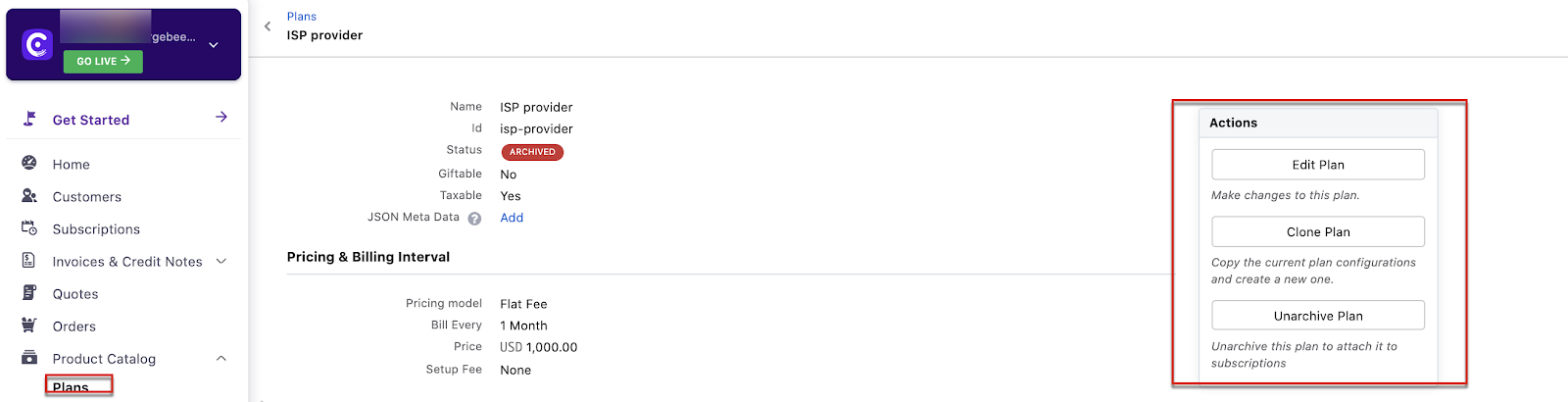
To view archived plans,
-
You can use the filters under Plans
-
You can view the number of subscriptions using Archived Plans
-
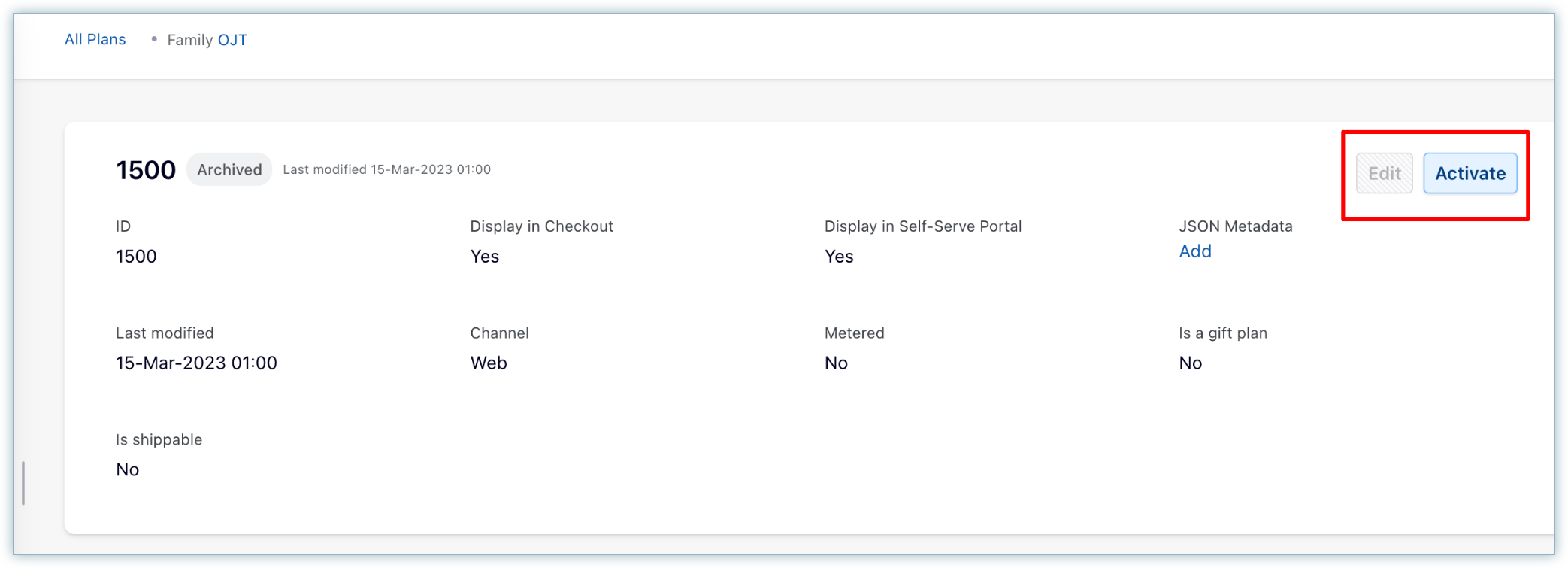
From the Chargebee's Dashboard as specified in the image below
Was this article helpful?