Outliers
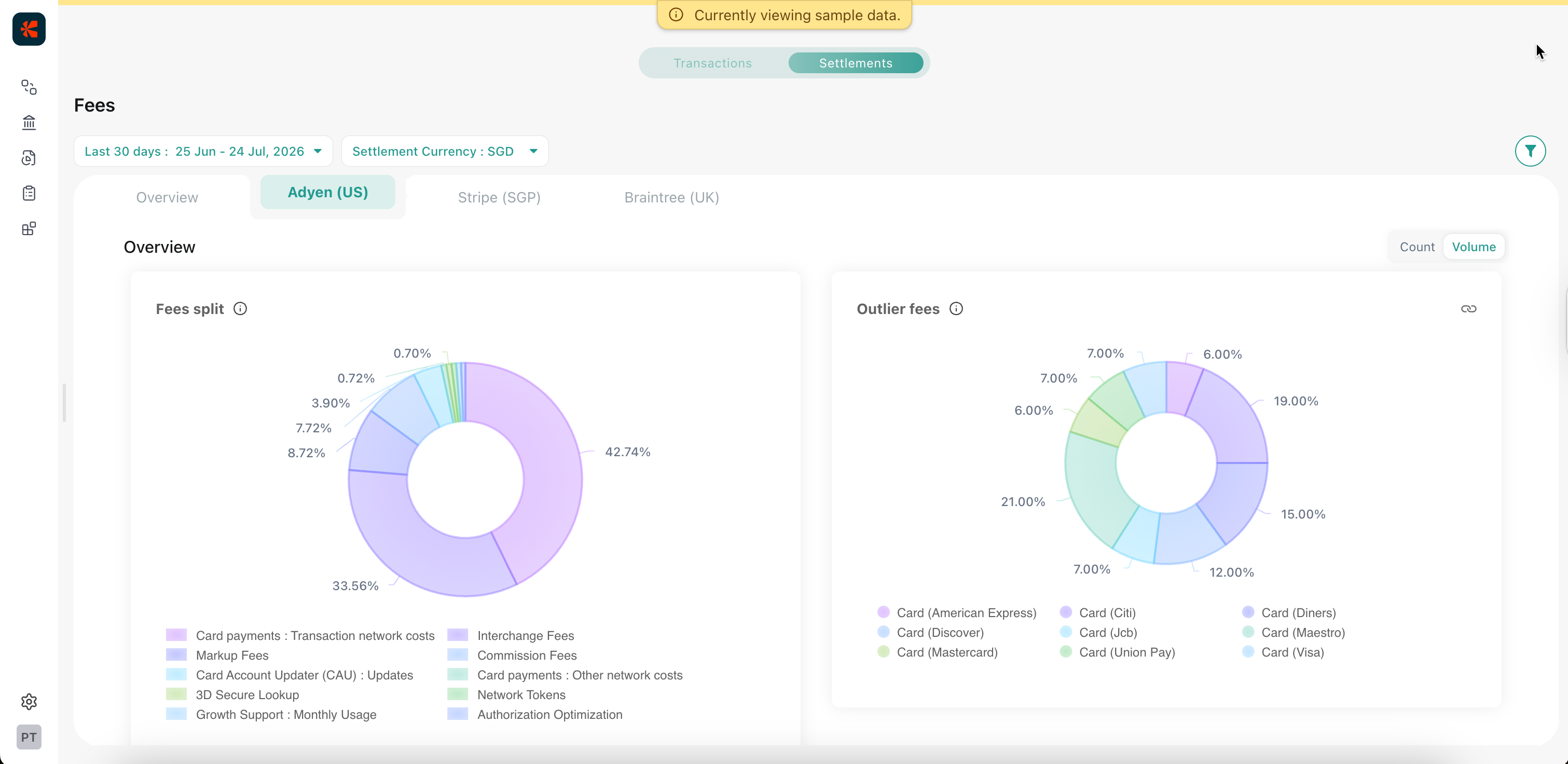
In Reveal Settlements Fees, outliers are settled transactions whose fee rate is higher than the average fee rate for the same Gateway Account and settlement currency in the period you are reviewing. Reveal surfaces Outlier volume, Outlier transactions, and Outlier fees so finance and payments teams can find fee leakage without scanning every processor statement.
Blended rate shows the average cost of acceptance on a Gateway Account. Outliers show how much of that cost comes from traffic priced above that average, so you can focus on a specific segment instead of treating the whole account as expensive.
Outlier metrics appear on Fees and inside provider-level fee insights. They are part of Fees, not a separate area of the product.
Why outliers matter
Teams often see that total fees rose and assume volume rose with them. Outlier share rising means the composition of cost is getting worse: a minority of volume (one payment method, card brand, cross-border slice, or verification pattern) can pull the account’s effective rate up while the rest of the book looks normal.
That matters for:
- Month-end explanations: finance can point to a segment, not only a total.
- Operational changes: payments can adjust mix, routing, or upstream qualification that pushes traffic into worse fee tiers.
- Processor conversations: you bring a clear Gateway Account, period, and segment instead of a full statement dump.
Finding that segment early keeps elevated rates from becoming “just how this Gateway Account looks.”
How Reveal identifies outliers
For each Gateway Account and settlement currency, Reveal calculates an average fee rate from your settled traffic in the selected date range. A transaction counts as an outlier when its own fee rate is above that average.
Outlier metrics then show:
- Outlier volume: fee amount sitting on those above-average transactions.
- Outlier transactions: how many transactions exceeded the average rate.
So Reveal is comparing traffic to your typical rate for that account and currency, not to a generic industry sticker price. In the product UI, tooltips may describe this cutoff as a threshold; that threshold is the account’s mean fee rate for the filtered period.
Common reasons a transaction can land above that average include interchange or scheme tier misses, authentication or tokenization mix, cross-border share, and payment-method mix. Treat these as investigation prompts. Confirm them in provider-level fee insights or Records. For prioritized fee recommendations such as interchange downgrades, start from Insights. Outliers tell you that leakage exists and where it concentrates.
How to use outliers in a cost review
- On Fees, compare Gateway Accounts on blended rate, then look for accounts where Outlier volume or Outlier transactions are large relative to total volume.
- Open provider-level fee insights for that account. Use Outlier fees (chart and payment-method columns) to see which rails or card brands carry the leakage.
- Decide the next action: change mix or routing, fix upstream issues that push traffic into worse tiers, or take the segment into a processor conversation. Use Records when you need line-level evidence to share or export.
Take the next step
- Fees: Compare blended rates and see where outlier leakage sits across Gateway Accounts.
- Provider-level fee insights: Explain which payment methods and platform fees drive cost inside an account.
- Insights: Review prioritized fee and cost recommendations across your payment stack.
- Records: Inspect and export settled transactions for accounting workflows.
Was this article helpful?